

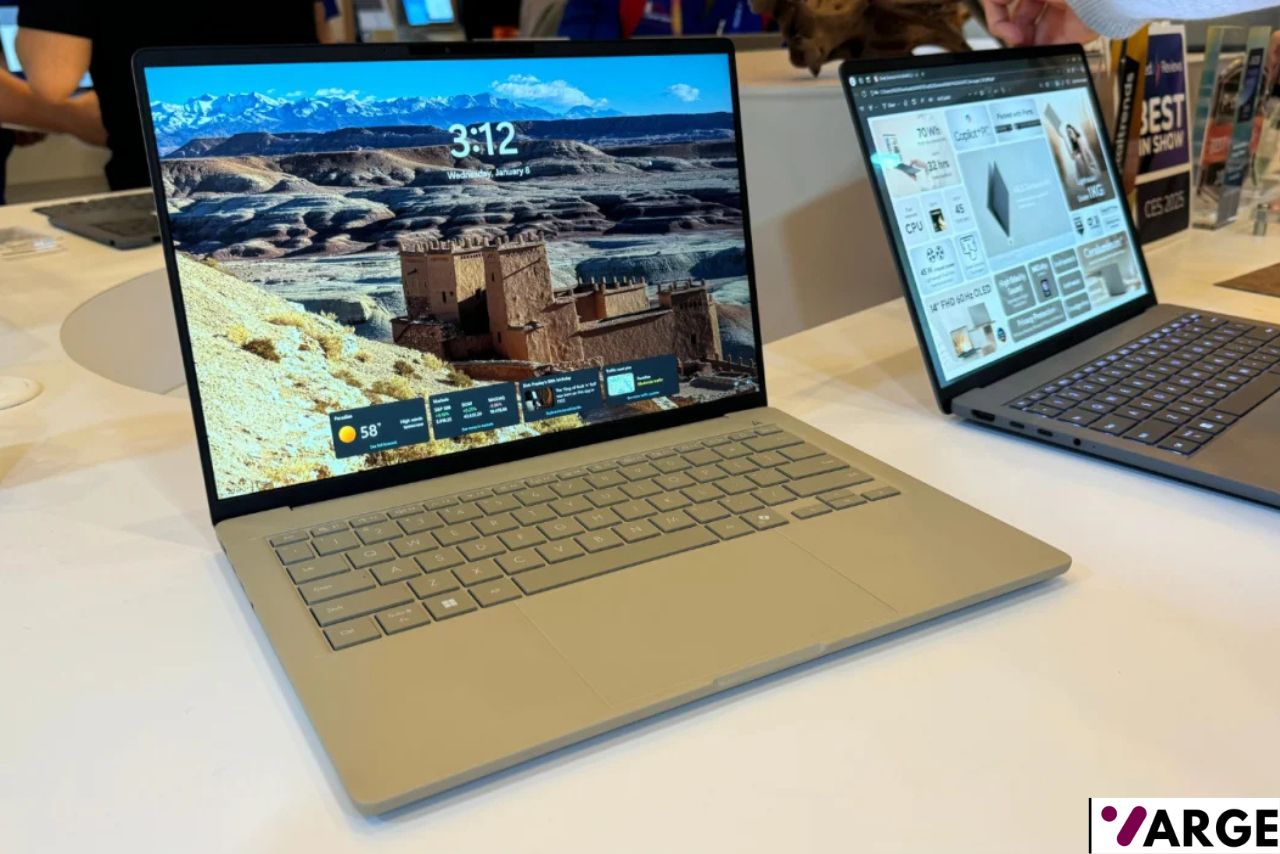
You don’t have to feel like you’re settling for less when shopping for the best laptops under 500. Currently, there are tons of pint-priced notebooks that boast the best of features, some with full-HD displays, others with solid performance, and long battery life, plus a useful set of ports you need. If you’re buying on a budget, here are the best laptops under $500 that you can buy today. If not on a tight budget, you can check out the best laptops you can buy right now.
If you look around, you can even get a 2-in-1 with a touchscreen at this price, though it may not run Windows or be on the larger side.
In the past years, we’ve reviewed value-priced laptops, and our favorite, the most well-rounded laptop under $500, remains the Acer Aspire 3 (A315-24P). Our favorite pocket-friendly Chromebook is the Samsung Chromebook 3. But we have plenty of units to recommend for anyone on a budget.
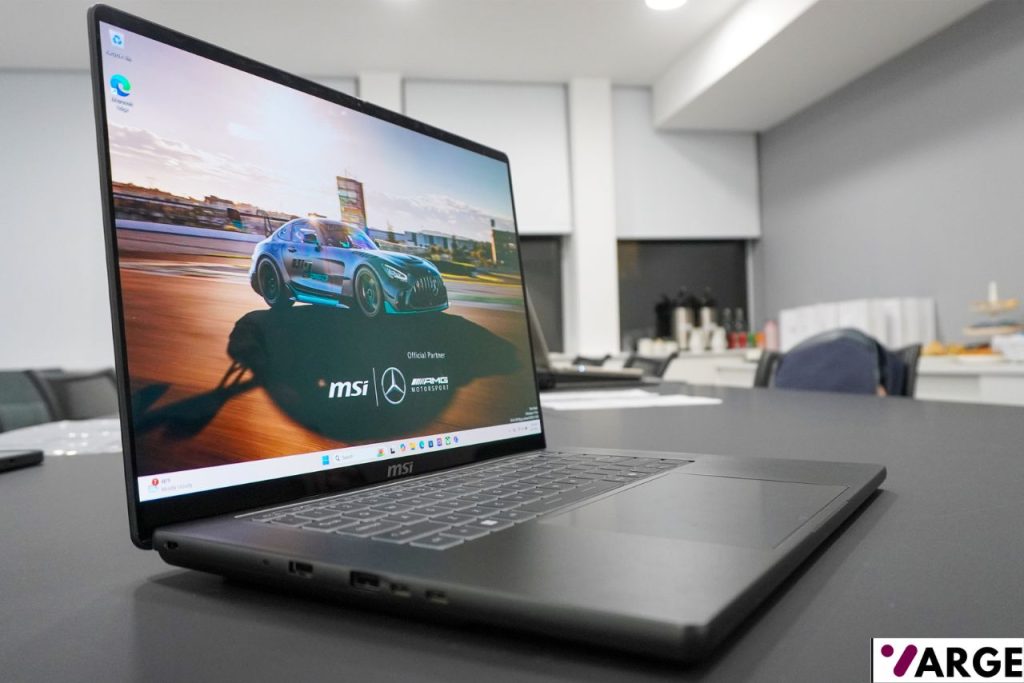
Best Laptops Under $500 – Quick List
- Acer Aspire 3 (A315-24P)
- Apple MacBook Neo
- Lenovo Flex 5i Chromebook Plus
- Acer Aspire Go 15 (AG15-32P-39R2)
- Asus Chromebook Plus CX34 (2025)
BEST WINDOWS LAPTOP UNDER $500 – Acer Aspire 3 (A315-24P)
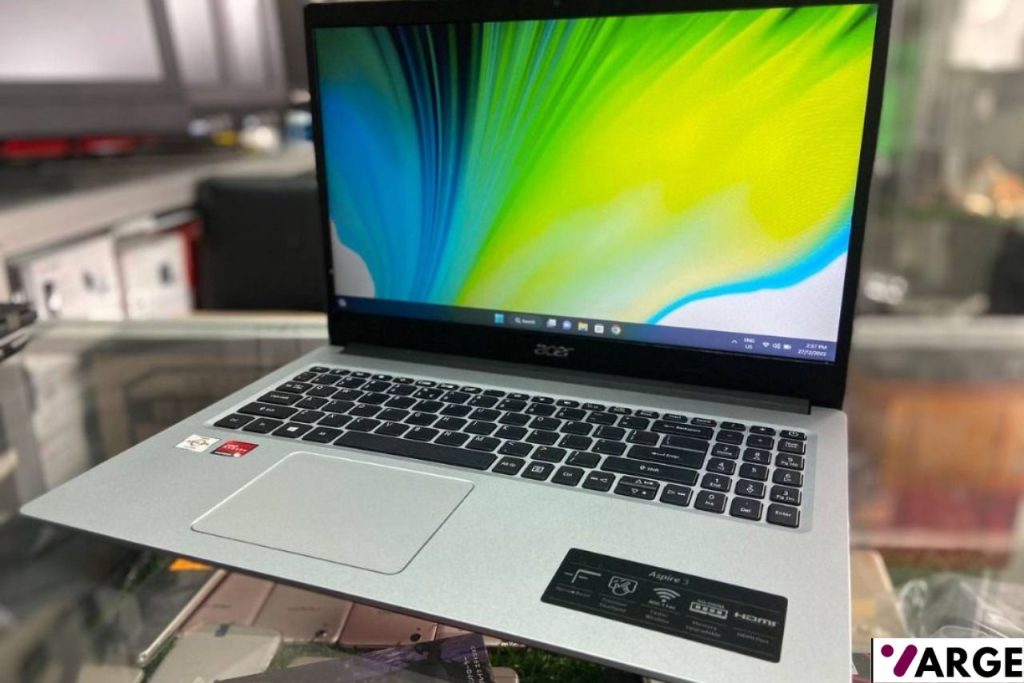
$360.72 – AT AMAZON
Display: 15.6″ FHD (1920×1080) IPS, 60Hz | Processor: AMD Ryzen 3 7320U | GPU: AMD Radeon 610M | RAM: 8GB DDR5 | Storage: 256GB PCIe Gen 3 SSD | OS: Windows 11 Home | Weight: 1.78 kg (3.92 lbs)
PROS
- Very competitive price
- Lightweight and slim design
- Upgradeable RAM (dual SO-DIMM slots)
- Full HD IPS display
- Numpad included
CONS
- All-plastic build feels budget
- Small 40Wh battery
Why We Picked It
The Acer Aspire 3 A315-24P is one of the most talked-about affordable laptops, powered by the AMD Ryzen 3 7320U (or Ryzen 5 7520U), delivering solid performance for web browsing, light productivity, streaming, and office applications. It’s squarely aimed at students and everyday users who need a reliable, no-fuss machine that won’t drain the wallet.
Acer prioritized performance and specs over design — meaning you’ll be working with a plastic construction rather than an aluminum shell. That said, the all-plastic chassis looks decent enough to pass for aluminum from a distance, feels sturdy for daily commutes, and shows no signs of poor build quality.
BEST LAPTOP FOR STUDENTS UNDER $500 – Apple MacBook Neo
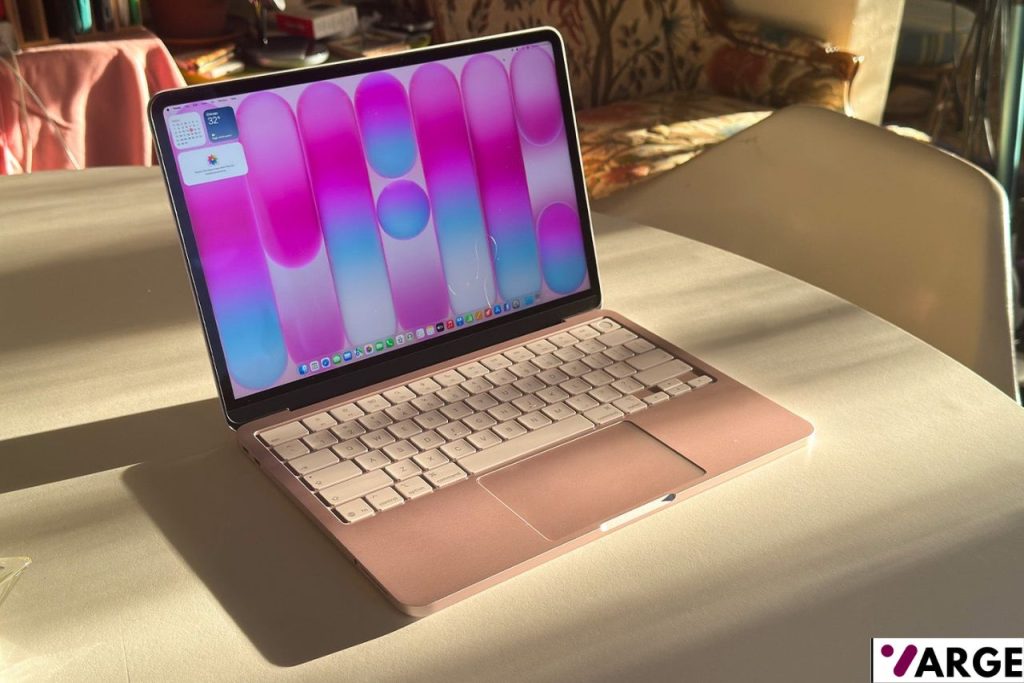
Chip: Apple A18 Pro — 6-core CPU, 5-core GPU | Display: 13-inch Liquid Retina, 2408 × 1506, 218 ppi, 1 billion colors| Memory: 8GB unified | Storage: 256GB or 512GB SSD | Battery: Up to 16 hours | Camera: 1080p FaceTime HD | Ports: Two USB-C | Connectivity: Wi-Fi 6E, Bluetooth 5.3 | OS: macOS Tahoe | Weight: 2.7 lbs (1.23 kg)
PROS
- Exceptional value
- Full macOS experience
- Fanless, completely silent operation
- Up to 16 hours of battery life
- Apple Intelligence (AI) is built in
CONS
- Only 8GB of unified memory
- No keyboard backlight
- USB 2 speeds on the USB-C ports (not USB 3)
Why We Picked It
The MacBook Neo is Apple’s newest entry-level laptop, announced in early March 2026 and designed to be the most affordable Mac yet, starting at just $599 — or $499 for students and educators. Powered by the A18 Pro chip, it flies through everyday tasks like browsing, photo editing, and on-device AI workloads, all wrapped in a durable aluminum enclosure available in four gorgeous colors: Blush, Indigo, Silver, and Citrus.
At just 1.23 kg, it’s nicely lightweight for a backpack, and its aluminum finish means it looks premium — many would be hard-pressed to tell it apart from the more expensive MacBook Air. There’s been no compromise when it comes to macOS — you can run any Mac app or connect your iPhone to it, just as you can with far more expensive Mac products — making it ideal for students in particular.
BEST 2-IN-1CONVERTIBLE LAPTOP UNDER $500 – Lenovo Flex 5i Chromebook Plus
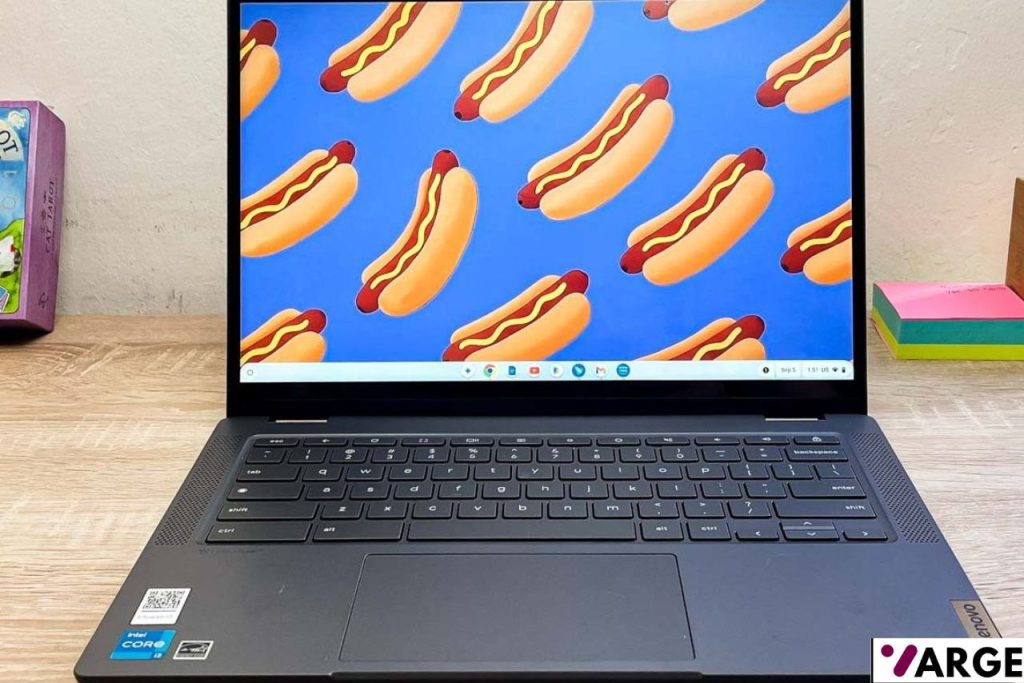
CPU: Intel Core i3-1315U | RAM: 8GB LPDDR4x 4266MHz (soldered) | Storage: 128GB eMMC 5.1 | Display: 14″ FHD+ IPS Touchscreen (1920×1200) | GPU: Integrated Intel UHD Graphics | OS: Chrome OS (Chromebook Plus certified) | Weight: 3.57 lbs
PROS
- TBright, sharp 12:00 p.m. touchscreen
- Fast Intel Core i3-1315U processor
- Flexible 360° hinge
- Plenty of ports for a Chromebook
CONS
- No stylus included in the box
- No fingerprint reader
- Display brightness tops out just under 300
Why We Picked It
The Lenovo Flex 5i Chromebook Plus is a standout 2-in-1 that punches well above its price point. With a 360-degree hinge, bright 1920×1200 touchscreen, and the new Chromebook Plus certification, it brings together premium-feeling hardware and Google’s latest AI features in a sleek Storm Grey chassis that feels far more expensive than it is.
Powered by a 13th-gen Intel Core i3-1315U paired with 8GB of RAM and Chrome OS, this machine handles everyday multitasking, remote learning, and productivity with ease. It converts between laptop, tent, and tablet modes seamlessly, and its solid port selection, comfortable backlit keyboard, and capable 1080p webcam make it a well-rounded daily driver for students and professionals on a budget.
BEST DESKTOP-REPLACEMENT LAPTOP UNDER $500 – Acer Aspire Go 15 (AG15-32P-39R2)
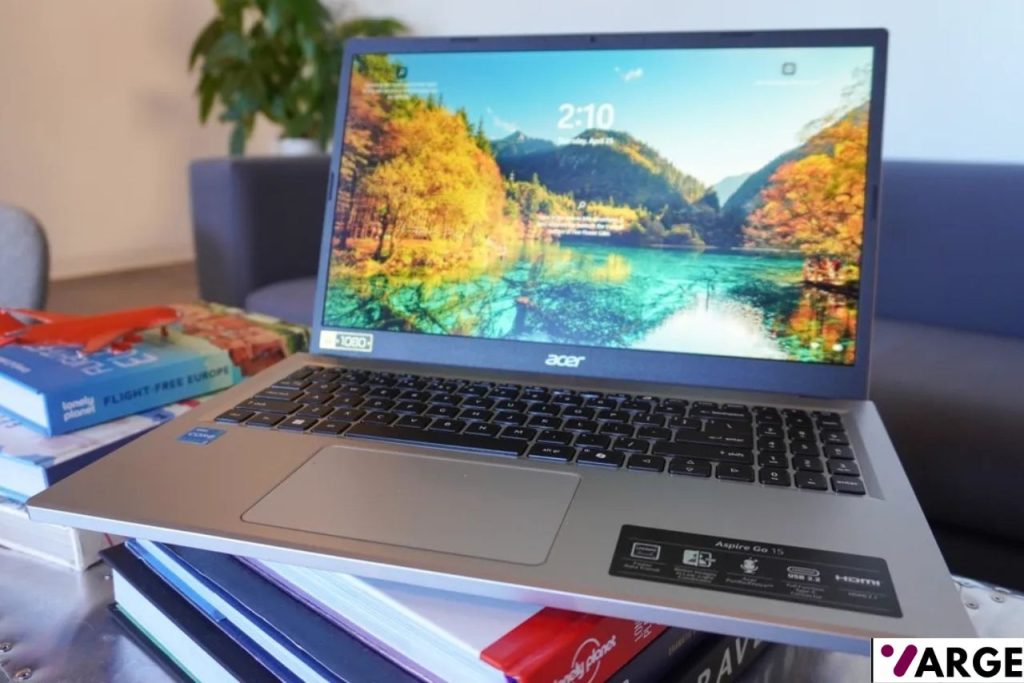
Display: 15.6″ Full HD (1920×1080) IPS | CPU: Intel Core 3 Processor N355 (8-core) | RAM: 8GB DDR5 | Storage: 128GB UFS | GPU: Intel UHD Graphics (integrated) | Weight: ~3.97 lbs
PROS
- Very affordable
- Decent array of ports
- Good battery life
- Comfortable keyboard
CONS
- Underwhelming speeds
- Middling webcam
Why We Picked It
The Acer Aspire Go 15 AG15-32P-39R2 occupies an important value niche — a step below more costly mainstream laptops but a step above most budget models. It’s a solid budget PC that builds on the internals of its 2024 predecessor, with the upgrades coming without a price hike — the newer model actually starts at a lower price than last year’s. It’s built for students, home users, and remote workers who need a dependable everyday machine without stretching their wallet.
The Aspire handles everyday tasks well — juggling a dozen browser tabs while streaming video is no trouble, and the system boots and launches apps quickly. The keyboard is surprisingly spacious and comfortable, making it a joy to type on, which matters given that this laptop is best suited to productivity and writing rather than heavy processing workloads. Wi-Fi 6 support provides faster and more stable wireless connections, noticeable when streaming high-resolution video or downloading large files.
Read our Full Acer Aspire Go 15 AG15-32P-39R2 Review
BEST CHROMEBOOK UNDER $500 – Asus Chromebook Plus CX34 (2025)
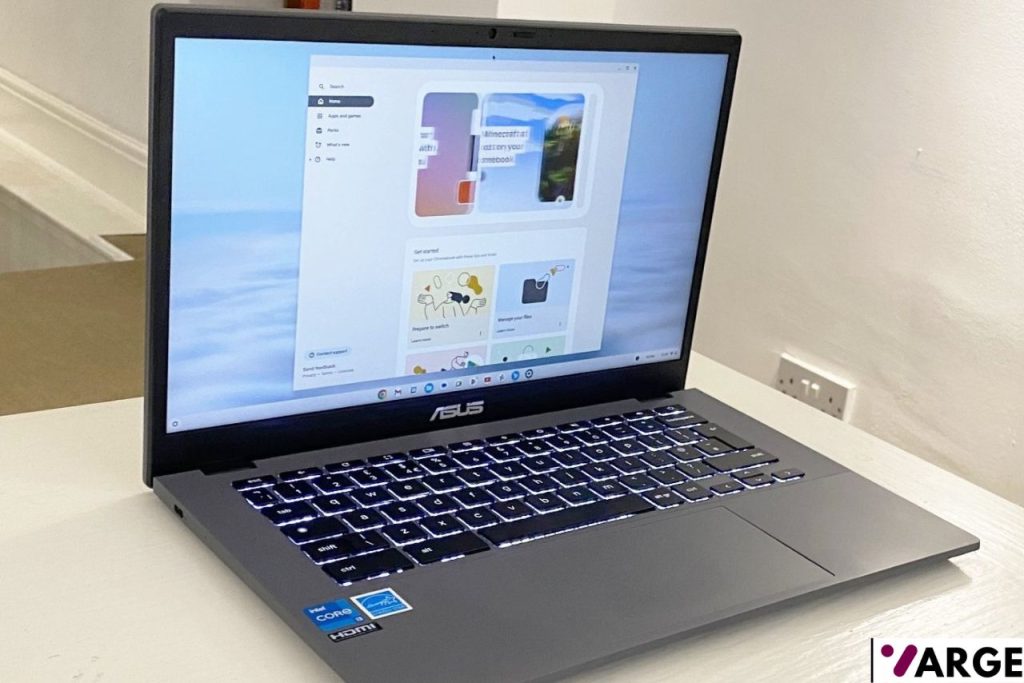
CPU: Intel Core i5-1335U (10 cores, up to 5.0 GHz) | GPU: Intel Iris Xe Graphics | RAM: 8GB | Storage: 128GB / 256GB SSD | Display: 14″ FHD (1920×1080) IPS | OS: ChromeOS | Weight: 1.44 kg (3.17 lbs
PROS
- Fast productivity performance
- Excellent port selection
- Good battery life
CONS
- Color accuracy would be better
- The lid has a slight reflex
- ChromeOS limitations remain
Why We Picked It
The Asus Chromebook Plus CX34 is a solid upgrade over the 2023 model, featuring a faster processor and a touchscreen display, with only minor drawbacks that hardly impact overall performance. It’s lightweight, powerful enough for everyday tasks, and built to handle a busy schedule without stressing your wallet — making it a compelling choice for digital nomads, students, and remote professionals alike.
The CX34 doesn’t skimp on ports, featuring two USB Type-A, two USB Type-C (with DisplayPort support), one HDMI out, and a 3.5mm combo audio jack. It also sports a 1080p webcam with AI-powered background blur and noise cancellation, a physical privacy shutter, and arrives completely bloatware-free — clean and productivity-ready straight out of the box.
Buying Guide: The Best Laptops Under $500
Finding a good laptop under $500 in 2026 is much easier than it used to be. Thanks to better entry-level processors, improved Chromebook performance, and more efficient battery life, budget laptops can now handle schoolwork, office tasks, streaming, browsing, and even light creative work without feeling painfully slow. The key is focusing on the right balance of performance, battery life, display quality, build durability, and storage.
Many of today’s best budget laptops come with modern Intel Core i3, AMD Ryzen 5, or Chromebook Plus hardware that delivers surprisingly smooth everyday performance. Chromebooks continue to dominate the ultra-budget market because ChromeOS runs efficiently on lower-end hardware, while Windows laptops offer better software compatibility for work and productivity. According to multiple recent laptop guides, models like the Acer Aspire Go 15, Asus Chromebook CM14, and Lenovo Chromebook Plus devices stand out for offering strong value under the $500 price range.
What to Expect From a Laptop Under $500
Before buying, it’s important to set realistic expectations. A sub-$500 laptop won’t compete with premium ultrabooks or gaming machines, but it should comfortably handle:
- Web browsing and multitasking
- Microsoft Office and Google Workspace
- Video streaming and online classes
- Light photo editing
- Casual gaming and cloud gaming
- Remote work and Zoom meetings
Most laptops in this category use integrated graphics, so AAA gaming and heavy video editing are off the table. However, newer budget CPUs are far more capable than older entry-level chips from just a few years ago.
Windows Laptop or Chromebook?
This is the first big decision buyers should make.
Choose a Windows Laptop If:
- You need Microsoft Office desktop apps
- You use Windows-specific software
- You want more flexibility for file management
- You occasionally edit photos or videos
- You need better compatibility with printers and accessories
Choose a Chromebook If:
- Most of your work happens in a browser
- You mainly use Google Docs and web apps
- You want longer battery life
- You want a simpler, faster, and safer system
- You’re shopping for a student or casual user
Chromebooks have improved dramatically in recent years. Chromebook Plus devices especially deliver better performance, displays, webcams, and multitasking than older Chromebooks.
Important Features to Look For
1. Processor
Avoid outdated low-end chips whenever possible. Look for:
- Intel Core i3 or newer
- AMD Ryzen 3 or Ryzen 5
- Chromebook Plus certified processors
These processors deliver much better responsiveness for multitasking and productivity.
2. RAM
In 2026, 8GB RAM should be the minimum target for most users. While 4GB systems still exist, they struggle with multitasking and modern browsers.
3. Storage
Budget laptops often cut corners here.
Recommended minimums:
- 128GB SSD for Windows laptops
- 64GB eMMC for Chromebooks
SSDs are significantly faster than traditional hard drives.
4. Battery Life
Look for laptops that offer at least 8 hours of real-world usage. Many modern Chromebooks now easily exceed 10 hours.
5. Display Quality
Full HD (1920×1080) displays are becoming common even in budget laptops. Avoid low-resolution 1366×768 displays whenever possible.
Who Should Buy a Laptop Under $500?
Students
Budget laptops are ideal for note-taking, research, assignments, and online learning. Chromebook Plus devices are especially strong for education users.
Remote Workers
For web apps, email, spreadsheets, Zoom, and cloud tools, many under-$500 laptops perform surprisingly well.
Families
Affordable Chromebooks and Windows laptops are excellent shared household devices for browsing, streaming, and homework.
Casual Users
If your daily tasks involve YouTube, Netflix, shopping, email, and social media, you don’t need to spend over $1,000.
Bottom line
The best laptops under $500 in 2026 prove that affordable computing no longer means painfully slow performance or terrible battery life. Whether you choose a Chromebook for simplicity or a Windows laptop for flexibility, there are excellent value options available for students, home users, and remote workers alike.
For most people, the Acer Aspire 3 offers the best overall value thanks to its balance of performance, battery life, and affordability. Chromebook users should strongly consider the Lenovo IdeaPad Flex 5i Chromebook Plus or the Asus Chromebook Plus CX34 for a smoother ChromeOS experience. Meanwhile, ultra-budget shoppers can still find capable devices like the Asus Chromebook CM14 without overspending.
Last update on 2026-07-05 at 13:41 / Affiliate links / Images from Amazon Product Advertising API