
Best Deal Today
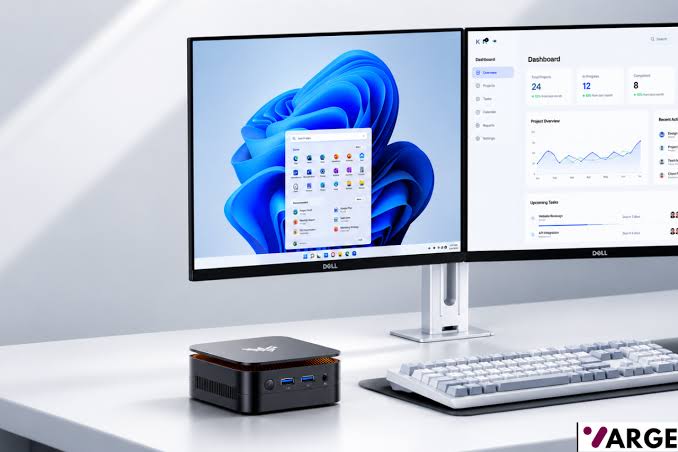
The KAMRUI Essenx E1 is one of the most affordable mini PCs available for users who need a compact desktop for office work, web browsing, media consumption, and light productivity. Powered by AMD’s Athlon Gold 3150U processor, this tiny PC focuses on delivering basic computing performance while taking up very little desk space. If you’re looking for a low-cost alternative to a traditional desktop tower or an aging laptop, the Essenx E1 is a great choice.
While newer KAMRUI E1 models have been updated with Ryzen 3 3250U and Intel N150 processors, the Athlon Gold 3150U version remains available in some markets and represents the entry-level end of the lineup. The model in this review features 8GB DDR4 memory and a 256GB SSD, providing enough resources for everyday computing tasks.
KAMRUI Essenx E1 Specifications
- Processor: AMD Athlon Gold 3150U
- Graphics: AMD Radeon Graphics (Vega 3)
- Memory: 8GB DDR4
- Storage: 256GB SSD
- Operating System: Windows 11 Pro
- Connectivity: Wi-Fi, Bluetooth, Gigabit Ethernet
- Display Outputs: HDMI and DisplayPort
- USB Ports: USB 3.0 and USB 2.0 ports
- Form Factor: Ultra-compact mini PC
Design and Build Quality
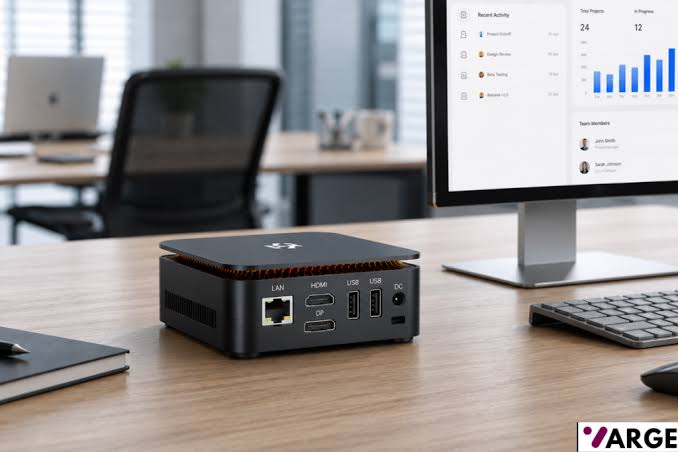
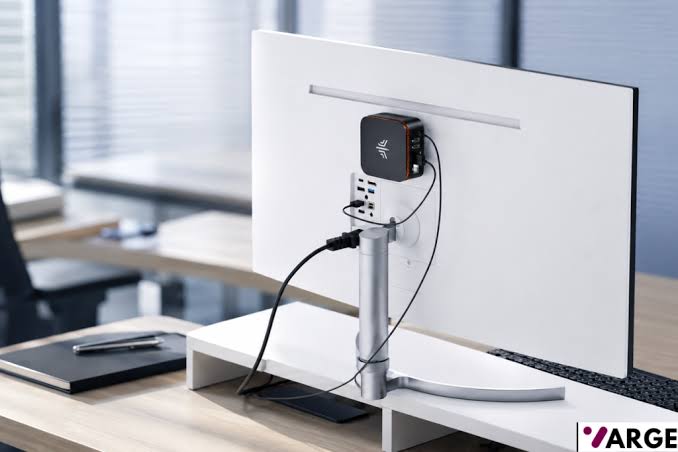
As with all mini-PCs, the Essenx E1 is very compact and takes very little space on your desk. It occupies only a fraction of the space required by a traditional desktop PC, making it ideal for small offices, reception desks, classrooms, and home workstations. The black plastic chassis looks modern and unobtrusive, while the included VESA mounting support allows users to hide the computer behind a monitor for a clean setup.
Despite its low price, the build quality feels solid enough for everyday use. The compact enclosure also makes it easy to transport between locations, something that would be far more difficult with a conventional desktop system. KAMRUI’s cooling solution is designed to operate quietly, which helps the E1 blend into office environments without creating distracting fan noise.
Connectivity and Ports
Despite its small size, the Essenx E1 offers a good selection of ports. HDMI and DisplayPort outputs support multiple monitors, allowing users to create productive dual-screen workstations. USB ports provide connectivity for keyboards, mice, printers, external drives, and other peripherals.
Gigabit Ethernet ensures reliable wired networking, while integrated Wi-Fi and Bluetooth add flexibility for wireless setups. Similar E1 models support dual or even triple-display configurations depending on the processor variant.
Performance
The Athlon Gold 3150U is based on AMD’s Zen architecture and features two cores with four threads. Although it is not a powerful processor by modern standards, it handles basic productivity workloads surprisingly well.
Applications such as Microsoft Word, Excel, Google Docs, web browsers, email clients, and video conferencing software run smoothly. Multiple browser tabs can remain open without significant slowdowns, provided memory usage remains reasonable.
The AMD Athlon Gold 3150U is a dual-core, four-thread processor based on AMD’s Zen architecture. While it sits firmly in the entry-level category today, it still delivers enough performance for office productivity, web browsing, media streaming, and light multitasking.
Benchmark Results
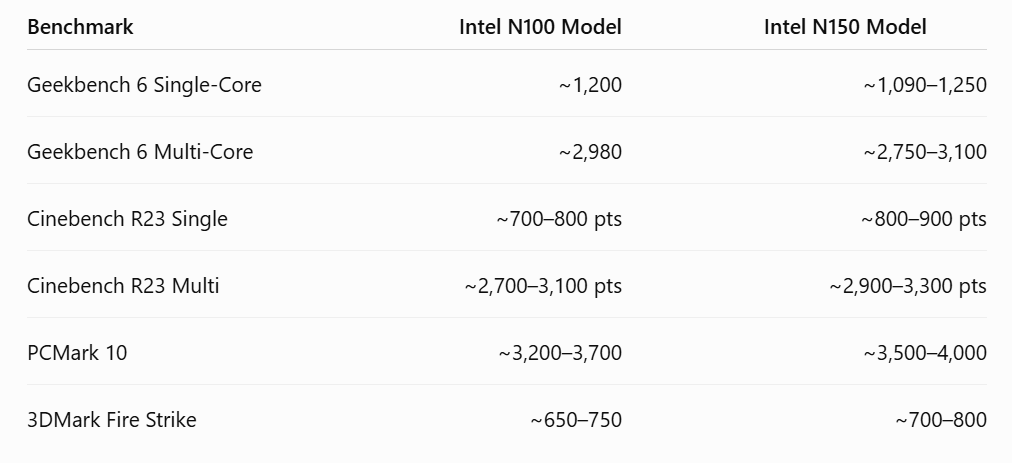
These scores place the Athlon Gold 3150U ahead of older Intel Celeron and Pentium processors while remaining competitive with AMD’s earlier Ryzen 3 U-series chips.
Where the processor begins to struggle is in heavier workloads. Content creators working with Adobe Premiere Pro, Photoshop projects involving large files, or demanding multitasking scenarios will quickly reach the limits of the dual-core processor. Users who routinely edit videos or run professional workloads should look at Ryzen-based mini PCs instead.
For students, home users, and office workers whose computing needs revolve around documents, spreadsheets, browsing, and cloud applications, the Athlon Gold 3150U remains adequate.
Graphics Performance
Integrated Radeon Vega 3 graphics handle everyday visual tasks comfortably. Video playback is smooth, including Full HD and most 4K streaming content. Hardware acceleration helps reduce CPU load when watching YouTube, Netflix, or other streaming platforms.
Gaming, however, is not a strength of this system. Older esports titles such as League of Legends, Valorant, and CS:GO may run at reduced settings, but modern AAA games are largely beyond the capabilities of the integrated graphics solution.
The system is best viewed as a productivity machine rather than a gaming PC.
Multitasking and Memory
Most configurations include 8GB of DDR4 memory, which is the minimum amount recommended for Windows 11 today. The system handles normal multitasking well, including web browsing, office applications, and background services.
Users who frequently work with large spreadsheets, numerous browser tabs, or multiple applications simultaneously should consider upgrading the memory if the configuration allows it. Additional RAM noticeably improves responsiveness and extends the lifespan of the machine.
The included SSD contributes significantly to overall system performance. Boot times are fast, applications launch quickly, and general responsiveness feels far superior to older hard-drive-based systems.
Everyday User Experience
The real appeal of the KAMRUI Essenx E1 lies in its simplicity. Setup is straightforward, Windows 11 Pro comes pre-installed, and the compact design means it can fit virtually anywhere.
For users upgrading from an older desktop or laptop, the system feels responsive and modern thanks to its SSD storage and efficient operating system. Daily tasks such as document editing, web browsing, online learning, video calls, and media playback are handled without issue.
The experience becomes less impressive when attempting demanding workloads, but that’s not what this machine was designed for. KAMRUI’s target audience consists of budget-conscious users seeking a dependable everyday PC rather than enthusiasts or creators.
KAMRUI Essenx E1 Vs. the competition
The biggest competitors to the Athlon Gold 3150U version of the Essenx E1 come from Intel N95, N100, and N150 mini PCs such as the GEEKOM A6 Mini PC with a AMD Ryzen 7 6800H processor, or the Kamrui GK3Plus that features an intel N95 processor. Many of these newer systems deliver better efficiency and stronger multi-core performance while maintaining similar pricing.
KAMRUI itself now offers Ryzen 3 3250U-based E1 models that significantly outperform the Athlon Gold version while retaining the same compact design. Buyers who can spend slightly more money should strongly consider the Ryzen variant, as it provides noticeably better longevity and multitasking capability.
KAMRUI Essenx E1 Review: Verdict
The KAMRUI Essenx E1 with AMD Athlon Gold 3150U is a budget-friendly mini PC that succeeds at its intended purpose. It delivers solid everyday performance for office work, education, web browsing, and media consumption while occupying almost no desk space.
Its limitations become clear when demanding applications enter the picture, but users seeking a low-cost desktop for basic computing will find plenty to like. The quiet operation, compact design, SSD storage, and Windows 11 Pro installation create a user experience that feels more polished than its price tag suggests.
For basic home and office computing, the Kamrui Essenx E1 Mini PC remains a practical choice. However, if your budget allows, the KAMRUI AK1PLUS offers substantially better performance and represents the stronger long-term investment.
Price Comparison


Disclosure: VARGE is reader-supported. When you buy through links on this page we may earn an affiliate commission, at no extra cost to you. Our picks are chosen on the merits — commissions never influence the ranking. Read more.