
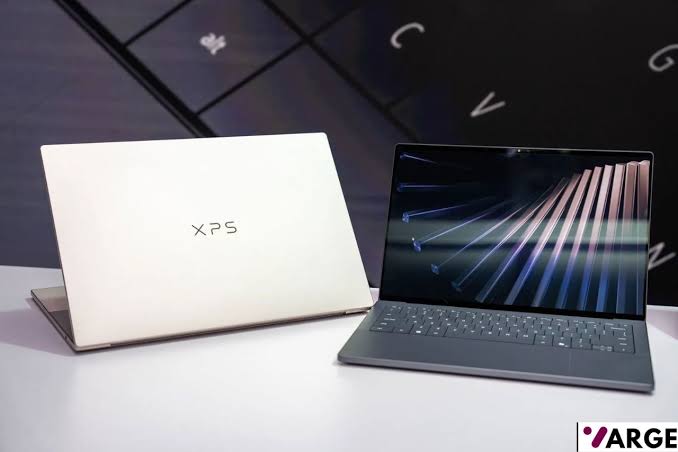
College is expensive and demanding enough! As a student, you have to handle tuition, housing, and textbooks, not to mention food and other miscellaneous expenses. Plus, you need a laptop and other tech to get through a college semester – all that needs to last at least a few years of taking notes, writing papers, editing slides for a group project, and a daily commute in a backpack. But choosing the right laptop that checks all those boxes is never easy.
At VARGE, we test and review dozens of laptops every year, and for this guide, we’ve curated the top picks from our other guides that are best suited for college students. The HP OmniBook 5 14 is currently our top pick overall for the best laptops for college students. Most laptops in this guide are part of our best laptops guide, but we’ve rounded them up based on price-to-performance, a very important factor, alongside battery life, size, weight, and their keyboard and trackpad. Our best pick college laptops check most of those boxes for high school and college students.
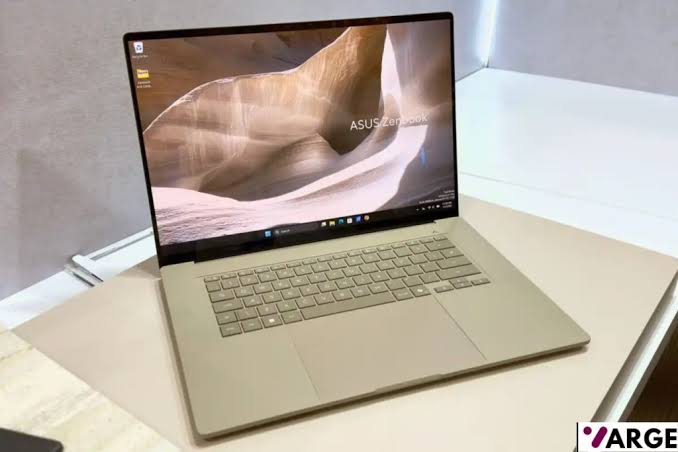
Keep in mind, student tech needs are not uniform across the board; some courses require basic laptops, but for some, the demand for high-end, specialized features like dedicated GPUs and the latest chips is constant. As such, we have less expensive options that are also suited for younger kids, and we also have more expensive options. If you’re a film, photography, or engineering student and you need a laptop for photo and video editing, or you need a laptop that can also play games, we have picks for you, too.
Best Laptops for College Students – Quick List
- HP OmniBook 5 14
- Apple MacBook Neo
- Acer Chromebook Plus Spin 714
- Apple MacBook Air 13-inch (2026, M5)
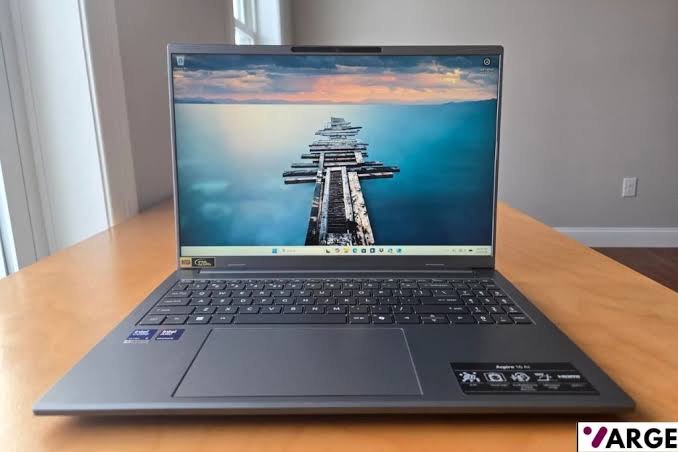
- Acer Aspire 16 AI
- Acer Swift Go 14
- MSI Katana 15 HX
BEST LAPTOP FOR COLLEGE STUDENTS OVERALL – HP OmniBook 5 14
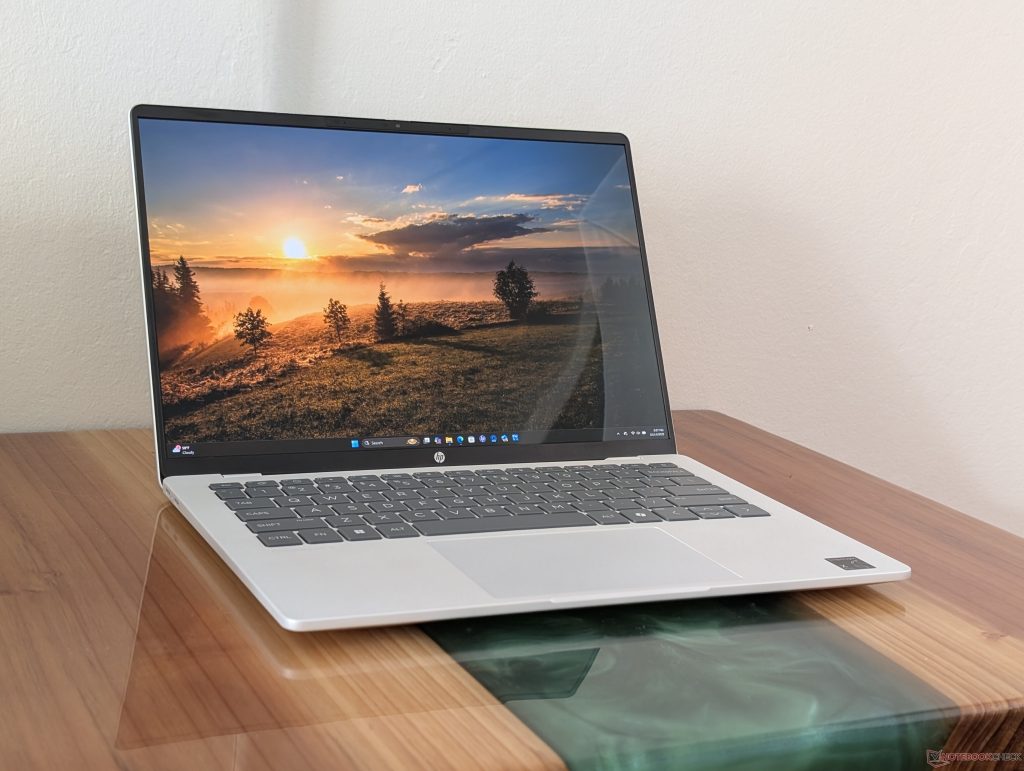
Processor: AMD Ryzen AI 5 340 / Ryzen AI 7 350 | Display: 14-inch IPS, 1920 x 1200 (16:10), anti-glare | RAM: 16GB / 32GB LPDDR5x | Storage: 512GB / 1TB PCIe Gen 4 SSD | Graphics: AMD Radeon 880M integrated GPU | Battery: Up to 14 hours | Weight: ~3.1 lbs (1.4 kg)
PROS
- Excellent battery life for all-day use
- Lightweight and portable build
- Strong everyday performance with AI-enhanced processing
- Good display brightness
CONS
- No discrete GPU
- Webcam quality is average
Why We Picked It
The HP OmniBook 5 14 is a sleek, well-rounded laptop engineered with college students in mind. It strikes an impressive balance between performance and portability, featuring a Qualcomm Snapdragon X Plus X1P-42-100 processor that handles everything from research and writing to light creative work and multitasking with ease. Its slim, lightweight design makes it an ideal companion for moving between lectures, libraries, and dorm rooms without the burden of a heavy bag.
Beyond raw performance, the OmniBook 5 14 shines in the areas students care about most — battery life and value. With all-day battery endurance, students can get through a full day of classes without hunting for an outlet. The 14-inch display offers a comfortable viewing experience for long study sessions, while HP’s thoughtful build quality ensures the device can withstand the rigors of daily campus life. For students seeking a dependable, future-ready machine without breaking the bank, the OmniBook 5 14 makes a compelling case as the top college pick.
BEST BUDGET LAPTOP FOR COLLEGE – Apple MacBook Neo
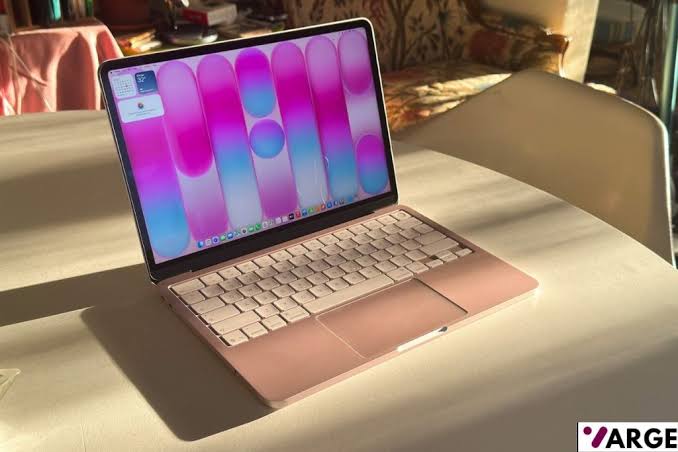
Chip: Apple A18 Pro — 6-core CPU, 5-core GPU | Display: 13-inch Liquid Retina, 2408 × 1506, 218 ppi, 1 billion colors| Memory: 8GB unified | Storage: 256GB or 512GB SSD | Battery: Up to 16 hours | Camera: 1080p FaceTime HD | Ports: Two USB-C | Connectivity: Wi-Fi 6E, Bluetooth 5.3 | OS: macOS Tahoe | Weight: 2.7 lbs (1.23 kg)
PROS
- Exceptional value
- Full macOS experience
- Fanless, completely silent operation
- Up to 16 hours of battery life
- Apple Intelligence (AI) is built in
CONS
- Only 8GB of unified memory
- No keyboard backlight
- USB 2 speeds on the USB-C ports (not USB 3)
Why We Picked It
The MacBook Neo is Apple’s newest entry-level laptop, announced in early March 2026 and designed to be the most affordable Mac yet, starting at just $599 — or $499 for students and educators. Powered by the A18 Pro chip, it flies through everyday tasks like browsing, photo editing, and on-device AI workloads, all wrapped in a durable aluminum enclosure available in four gorgeous colors: Blush, Indigo, Silver, and Citrus.
At just 1.23 kg, it’s nicely lightweight for a backpack, and its aluminum finish means it looks premium — many would be hard-pressed to tell it apart from the more expensive MacBook Air. There’s been no compromise when it comes to macOS — you can run any Mac app or connect your iPhone to it, just as you can with far more expensive Mac products — making it ideal for students in particular.
BEST CHROMEBOOK FOR COLLEGE – Acer Chromebook Plus Spin 714
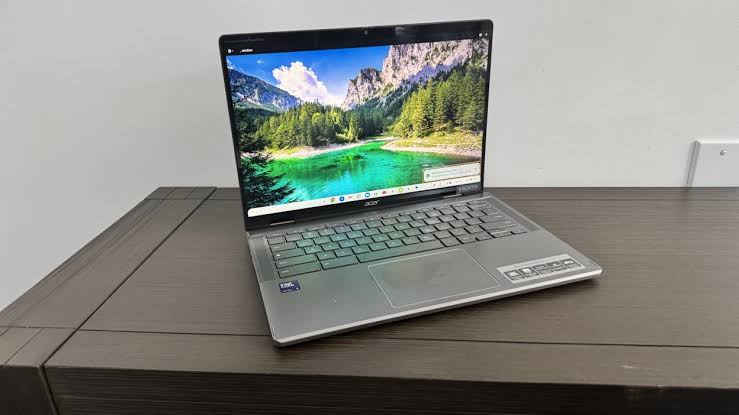
Processor: Intel Core Ultra 5 115U (Meteor Lake) | RAM: 8GB (up to 16GB) | Storage: 256GB PCIe Gen 4 NVMe SSD (up to 512GB) | Display: 14″ FHD+ IPS Touchscreen, full sRGB | Webcam: 1440p | Battery: 10+ hours | Wireless: Wi-Fi 6E, Bluetooth 5.2 | Weight: 3.21 lbs | OS: ChromeOS (updates until June 2034)
PROS
- Built-in AI tools with the Gemini Advanced trial
- Excellent all-day battery life (10+ hours)
- Solid, premium aluminum build quality
- Versatile 2-in-1 with 360° hinge
CONS
- Display has poor glare/reflection handling
- Both USB-C ports are on the same side
- Microphone quality is mediocre with static
Why We Picked It
The Acer Chromebook Plus Spin 714 brings baked-in AI features to one of the most beloved Chromebooks, offering new ways to enhance productivity and creativity in ChromeOS. It handles everyday college tasks like web browsing, word processing, and video calls with ease — and includes a one-year free trial of Gemini Advanced.
Built with a solid aluminum chassis in Steel Gray, the Spin 714 feels premium and durable enough for daily commutes between classes. The 360-degree hinge lets you flip seamlessly between laptop and tablet mode, while a dramatically enlarged Gorilla Glass trackpad and repositioned side-firing speakers round out a thoughtfully refined design. With ChromeOS updates guaranteed through June 2034, it’s a long-term investment for students.
BEST MACBOOK FOR COLLEGE – Apple MacBook Air 13-inch (2026, M5)
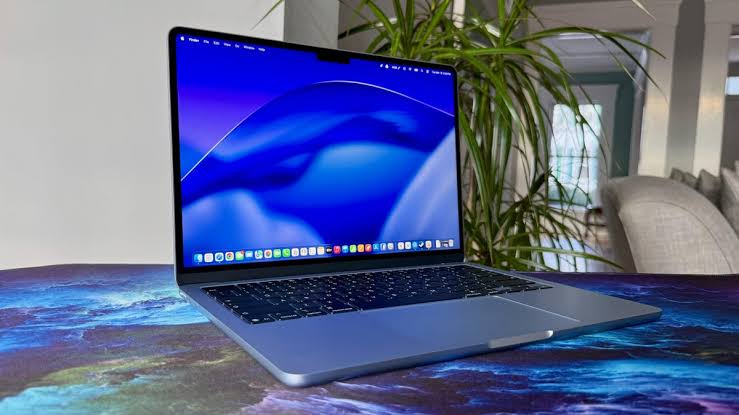
Processor: Apple M5 (10-core CPU) | GPU: 10-core integrated GPU | RAM: 16GB unified memory (configurable up to 32GB) | Storage: 512GB SSD (configurable up to 4TB) | Display: 13.6-inch Liquid Retina, 2560×1664 resolution | Battery: Up to 18 hours | Camera: 12MP Center Stage | Weight: 2.7 lbs
PROS
- Exceptional battery life
- Silent fanless design
- Bright, sharp Liquid Retina display
- Wi-Fi 7 & Bluetooth 6
CONS
- Only two USB-C ports (no USB-A)
- Design is virtually identical to the M4 model
Why We Picked It
The MacBook Air M5 is Apple’s go-to recommendation for college students, combining a thin, light, and completely silent fanless aluminum design with a stunning Liquid Retina display, a 12MP Center Stage camera, and up to 18 hours of battery life. It now comes standard with 512GB of storage — double the previous generation — and features a new SSD with 2x faster read/write performance, significantly speeding up workflows like importing large photo libraries and running AI workloads on the device.
On the connectivity front, Apple’s new N1 wireless chip brings Wi-Fi 7 and Bluetooth 6, while two Thunderbolt 4 ports allow support for up to two external displays simultaneously. Even though it’s $100 more than the M4 generation, the M5 MacBook Air remains one of the most well-rounded laptops available, especially for students and everyday users who need a reliable, portable machine that can handle both productivity and light creative work.
BEST BIG SCREEN LAPTOP FOR COLLEGE – Acer Aspire 16 AI
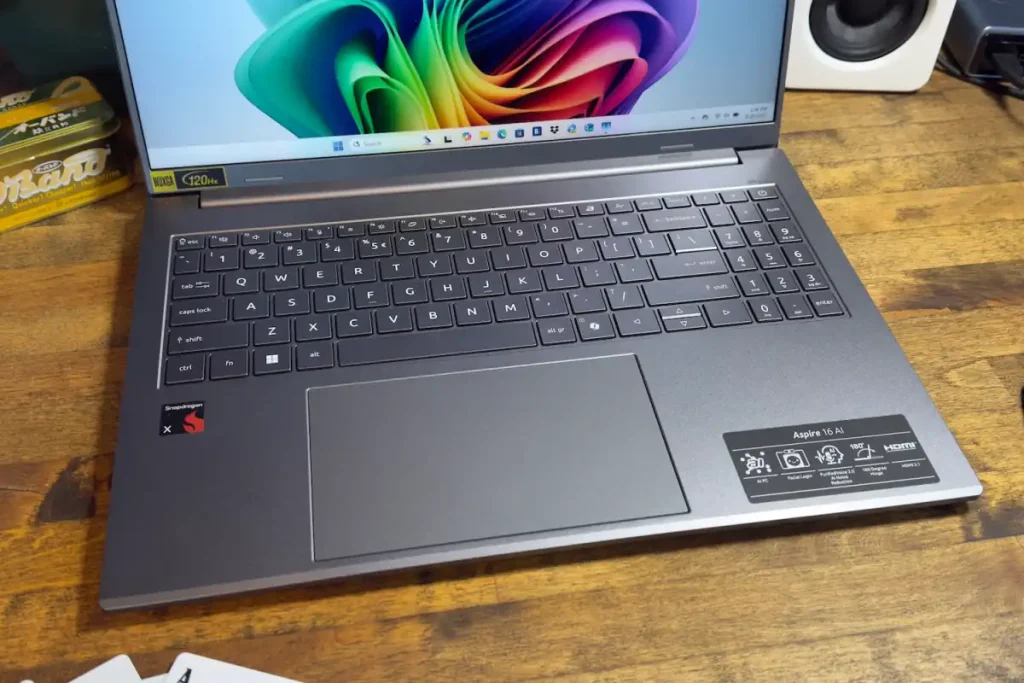
Processor: Snapdragon X X1-26-100 | GPU: Intel Arc 140V (48 TOPS) | NPU: Intel Arc 140V (Intel variant) | Display: 16-inch 2K (2048×1280) OLED, 120Hz | RAM: 16GB – 32GB LPDDR5x | Storage: 512GB – 1TB SSD | Battery: Up to 28 hours (video playback) | Weight: 1.55 kg (3.4 lbs)
PROS
- Stunning 2K OLED 120Hz display
- Exceptional battery life
- Excellent port selection
- Lightweight and thin
CONS
- Gaming performance is quite poor
- No dedicated GPU option
Why We Picked It
The Acer Aspire 16 AI is a large laptop promising powerful AI features in an elegant, impressively thin chassis. It’s also surprisingly light for a laptop of this size, which further improves its portability. At around $1,099, it delivers serious value, combining a capable CPU with speedy single-core performance, a surprisingly fast GPU, and an NPU that meets Microsoft’s Copilot+ PC requirements.
The Aspire 16 AI excels in battery life, portability, and AI-driven productivity — making it ideal for students who need a reliable, all-day laptop. The 16-inch 2K OLED display at 120Hz delivers sharp, clear images perfect for productivity tasks and creative work, with 100% coverage of both sRGB and DCI-P3 color spaces.
BEST ULTRA-LIGHT LAPTOP FOR COLLEGE – Acer Swift Go 14
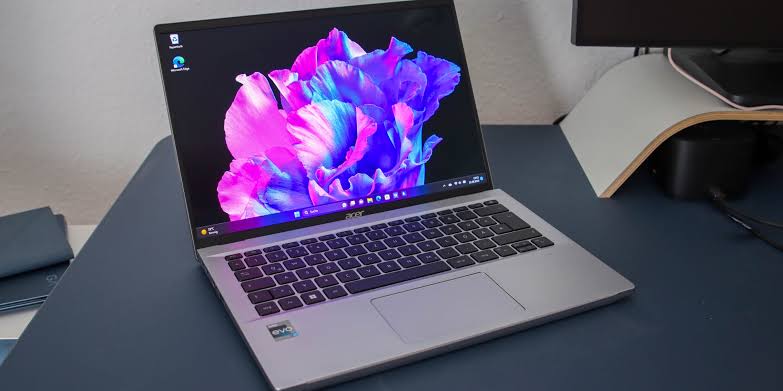
Processor: Intel Core Ultra 5 / 7 (Series 1) | RAM: 16 GB LPDDR5X | Storage: 512 GB / 1 TB PCIe SSD | Display: 14″ 2.8K OLED, 90 Hz | Graphics: Intel Arc (integrated) | Battery: 65 Wh, up to 12 hrs | Weight: 1.34 kg (2.96 lbs)
PROS
- Stunning OLED display
- Feather-light build
- All-day battery life with fast charging support
- Competitive price for an OLED ultrabook
CONS
- No dedicated GPU
- RAM and storage are soldered
Why We Picked It
The Acer Swift Go 14 is a standout ultra-portable built specifically for students who refuse to compromise between power and portability. Housed in a sleek aluminum chassis weighing just under 3 pounds, it slips effortlessly into a backpack while delivering genuine all-day productivity on a single charge. Its optional OLED touchscreen elevates note-taking, design work, and media consumption to a level rarely seen at this price point.
Powered by Intel’s Core Ultra processor family, the Swift Go 14 handles everything from multitasking across browser tabs and cloud apps to lightweight creative work with impressive efficiency. It’s a well-rounded machine that keeps pace with the demands of college life — lectures, research, late-night coding sessions — without breaking the bank or your back on the commute.
BEST BUDGET GAMING LAPTOP FOR COLLEGE – MSI Katana 15 HX
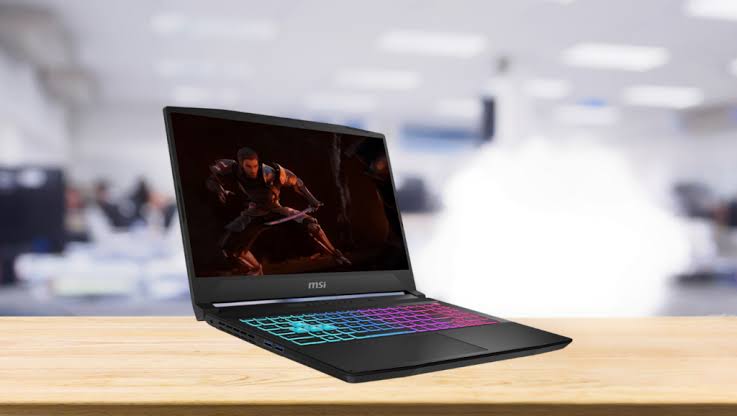
Processor: Intel Core i7-14650HX / i9-14900HX | Graphics: NVIDIA GeForce RTX 5060 | RAM : 16GB DDR5 | Storage: 1TB NVMe SSD | Display: 15.6″ QHD+ IPS, 165Hz | Weight: 2.4 kg (5.3 lbs)
PROS
- Strong 1080p and capable 1440p gaming performance
- Excellent price-to-performance ratio
- DDR5 RAM ensures smooth multitasking
- 165Hz QHD+ display
CONS
- Dim display
- Plastic chassis lacks a premium feel
- Poor battery life under gaming or heavy load
Why We Picked It
The MSI Katana 15 HX is a compelling budget-to-midrange gaming laptop aimed squarely at college students who need serious horsepower without blowing their entire budget. Powered by up to an Intel Core i9-14900HX and NVIDIA GeForce RTX 5070, it delivers consistent 1080p and even capable 1440p gaming performance — all wrapped in MSI’s signature angular design with four-zone RGB keyboard lighting. At around $999 for the base configuration, it punches well above its price bracket.
Beyond gaming, the Katana 15 HX doubles as a capable productivity machine — the DDR5 RAM and NVMe SSD keep multitasking snappy for juggling lectures, projects, and gaming sessions alike. The chassis is hard plastic rather than premium aluminum, and the display brightness leaves something to be desired, but the build feels solid and durable for daily campus carry. If you can live with a few compromises, this laptop represents one of the best performance-per-dollar deals in the 15-inch gaming space.
Buying Guide: The Best Laptops for College Students in 2026
Choosing the right laptop for college in 2026 is about finding the perfect balance between performance, portability, battery life, and price. Today’s students need laptops that can handle online classes, research, multitasking, video calls, AI-powered apps, and even entertainment or gaming after class. Whether you’re studying engineering, business, graphic design, or simply need a dependable machine for essays and streaming, there’s a laptop built for your needs.
Modern student laptops are also becoming smarter and more efficient thanks to AI-enhanced processors, longer battery life, and lighter designs. Many of the best options now deliver all-day battery life while remaining thin enough to carry around campus comfortably. Apple’s MacBooks continue to dominate for battery efficiency and portability, while Windows laptops offer broader compatibility, upgrade flexibility, and better gaming support. Chromebooks remain excellent for budget-conscious students focused on web-based productivity.
What to Look for in a College Laptop
Before buying a laptop for school, here are the most important things students should consider:
1. Battery Life
A good college laptop should comfortably last through lectures, study sessions, and library work without constantly needing a charger. Aim for at least 10 hours of real-world battery life. Premium ultrabooks and MacBooks now regularly exceed 15 hours.
2. Portability
Students carry laptops everywhere. Lightweight models under 3.5 pounds are ideal for commuting between classes, dorms, and coffee shops. Thin-and-light laptops are especially useful for students who travel frequently.
3. Performance
Most students will be fine with Intel Core Ultra, AMD Ryzen AI, Snapdragon X, or Apple M-series processors paired with at least 16GB RAM. Engineering, programming, video editing, and gaming students may need dedicated graphics cards or higher-end CPUs.
4. Display Quality
A bright 1080p or higher-resolution display improves productivity and entertainment. OLED panels are becoming more common in 2026 and offer richer colors and better contrast for creative work.
5. Operating System
- Windows: Best overall compatibility and flexibility.
- macOS: Excellent battery life and creative app ecosystem.
- ChromeOS: Affordable and ideal for browser-based tasks.
Final Thoughts
The best college laptop in 2026 depends on your major, budget, and workflow. For most students, the MacBook Air M5 offers the best mix of portability, battery life, and reliability. Budget buyers will love the MacBook Neo or Acer Aspire Go 15, while power users and creators should look toward high-performance machines like the Apple MacBook Pro or Asus ROG Zephyrus G14.
When choosing your laptop, prioritize:
- Long battery life
- Comfortable keyboard
- Lightweight design
- Reliable performance
- Enough RAM and storage for your coursework
A good college laptop should comfortably last several years, making it one of the most important investments for your education.
Last update on 2026-07-28 at 15:41 / Affiliate links / Images from Amazon Product Advertising API