
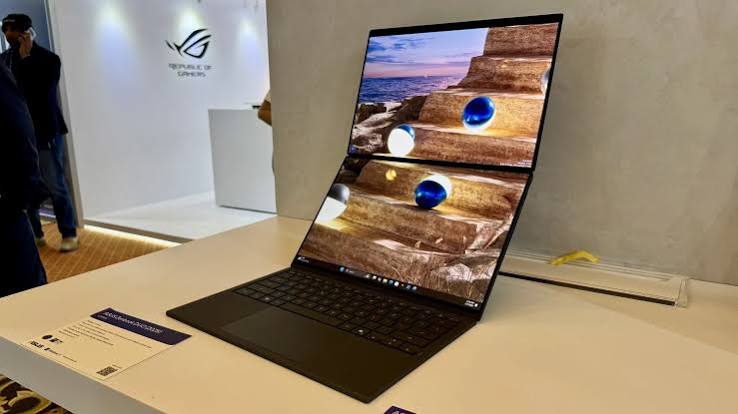
The checklist for choosing the best work laptops is pretty straightforward: a machine that’s reliable, secure, lightweight, and has a battery that lasts long enough to get you through the day. Additionally, you’d want to look at the display, keyboard, touchpad, and webcam as they’re part of your overall office user experience. A wider port selection will allow you to connect to multiple peripherals o external display without the need to invest in a separate dock. Most importantly, you’ll need enough processing power to run most of your tasks.
All these considerations apply to all business users, whether you’ve got a small startup, a Fortune 500 firm, or simply a home office-based one-man team. With that inconsideration, we’ve put together a list of the best business laptops on offer. That’s to say, whether you’re shopping for the best Ultrabook or the most versatile mobile workstation or a thin client, you don’t have to waste hours on end to find the right machine. You’ll find something here to meet your business needs.
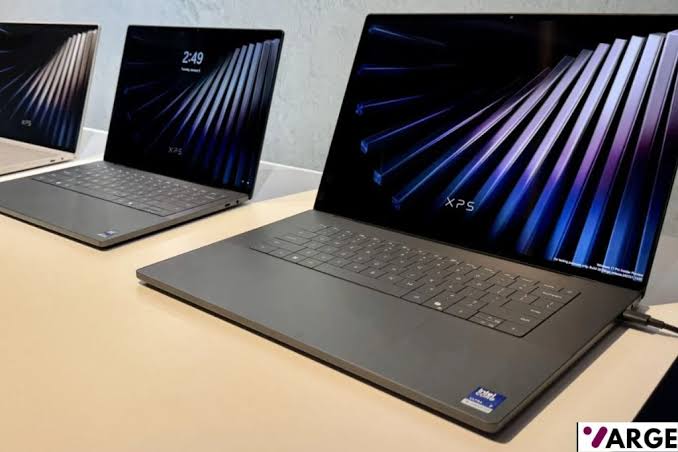
At VARGE, we’ve been using, testing, and reviewing work laptops for over 15 years, reviewing more than 90 laptops every year. Based on our collective decades of experience and expertise to evaluate each laptop that comes across our test benches based on its processing power and graphics performance, screen quality, battery life, inputs, and price, among other factors.
The Lenovo ThinkPad X1 Carbon Gen 13 Aura Edition is our current top pick for the best work laptop overall, with its ultralight carbon-fiber design, bright OLED screen, and class-leading keyboard. We have other top picks for specific work needs and budgets, and we recommend each of them. Check out our top recommendations, detailed buying guide, and comparison insights below.
The Best Work Laptops for 2026 – Quick List
- Lenovo ThinkPad X1 Carbon Gen 13 Aura
- Lenovo ThinkPad X9 14 Aura Edition
- Apple MacBook Pro 14-inch (M5)
- Asus VivoBook 16 M1605
- Acer Swift Go 14 (2025)
- MSI Prestige Flip 14 AI+
- Asus ProArt PX13
- Lenovo IdeaPad Slim 3i Chromebook 14
- BEST BUSINESS LAPTOP OVERALL – Lenovo ThinkPad X1 Carbon Gen 13 Aura
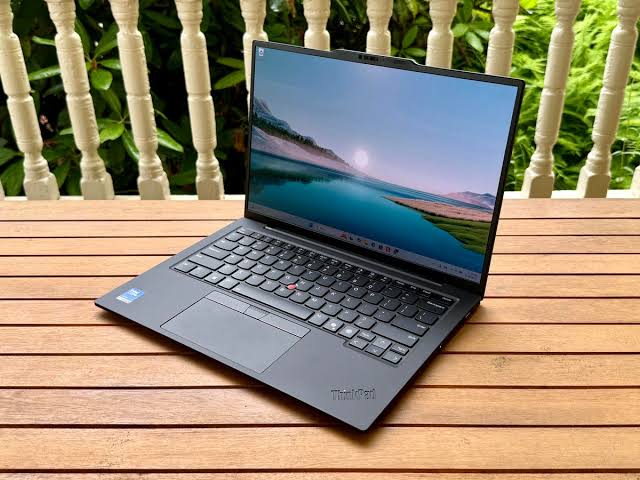
Display: 14″ 2.8K (2880 x 1800) OLED, 120Hz | Processor: Intel Core Ultra 7 258V | Graphics: Intel Arc Graphics 140V | Memory: 32GB LPDDR5x-8533 (soldered) | Storage: Up to 2TB PCIe 5.0 SSD | Connectivity: Wi-Fi 7, Bluetooth 5.4 | Battery: 57Wh | Weight: 2.2 lbs (0.99 kg)
PROS
- Extremely lightweight
- High-resolution 2.8K OLED display
- Intel Core Ultra 7 processor
- AI-enhanced features with Copilot+ integration
CONS
- Premium pricing
- Limited upgradeability
Why We Picked It
The Lenovo ThinkPad X1 Carbon Gen 13 Aura is a great business laptop, with a perfect balance of portability, premium build quality, enterprise-level security, and AI-powered performance. Built with an ultra-light carbon fiber and magnesium chassis, this laptop is designed for professionals who are constantly on the move without sacrificing durability or comfort.
Its Intel Core Ultra processors with built-in AI capabilities deliver exceptional multitasking performance for demanding office workflows, video conferencing, data analysis, and productivity applications, while the legendary ThinkPad keyboard continues to offer one of the best typing experiences available on any laptop.
What truly makes the ThinkPad X1 Carbon Gen 13 Aura Edition exceptional is its focus on the modern business experience. Features like intelligent privacy tools, AI-enhanced productivity modes, Wi-Fi 7 connectivity, long battery life, premium OLED display options, and extensive port selection make it ideal for executives, remote workers, and enterprise users alike.
Despite being incredibly thin and lightweight, it still maintains the reliability and security standards the ThinkPad series is known for, including Windows 11 Pro support and advanced business-grade protections. Whether you are working from the office, traveling, or handling intensive workloads remotely, the X1 Carbon Gen 13 Aura delivers a refined, fast, and professional computing experience.
2. BEST BUSINESS ULTRAPORTABLE – Lenovo ThinkPad X9 14 Aura Edition
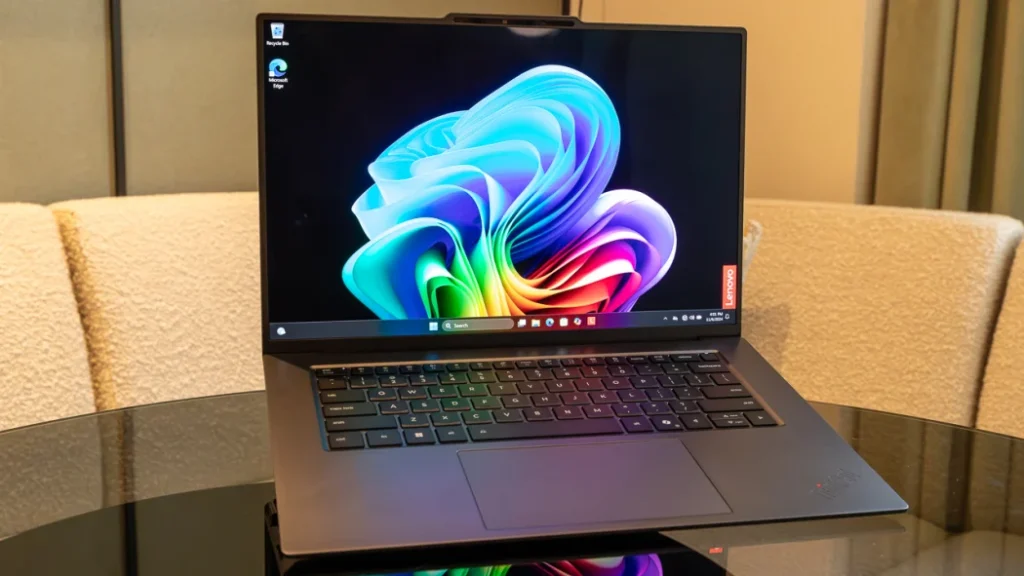
CPU: Intel Core Ultra 7 258V vPro | GPU: Intel Arc 140V GPU | NPU: Intel NPU | RAM: 32 GB LPDDR5x SDRAM 8533 MT/s | Storage: 1TB M.2 NVMe SSD WD SN740 | Dimensions: 311.2 × 216.7 × 17.95 mm | Weight: 1.141 kg
PROS
- Latest Intel silicon
- Exceptional battery life
- 2.8K OLED display
- 4K webcam
CONS
- Underwhelming CPU performance
- No USB-A ports
Why We Picked It
The Lenovo ThinkPad X9 14 Aura Edition is a splendid business ultraportable thanks to its premium lightweight design, exceptional keyboard experience, and powerful AI-ready Intel Core Ultra processors. Its slim aluminum chassis, vibrant OLED display, enterprise-grade security, and all-day portability make it perfect for professionals who need a laptop that feels fast, modern, and reliable, whether working in the office, traveling, or attending meetings.
Beyond the svelte design, the ThinkPad X9 14 Aura Edition strikes a perfect balance between productivity and mobility. Features like Thunderbolt 4 connectivity, Wi-Fi 7, advanced webcam technology, long battery life, and Copilot+ AI capabilities create a smooth workflow for business users, executives, and remote workers. Combined with Lenovo’s ThinkPad durability and premium business-level security features, it delivers a refined ultraportable experience built for modern professionals.
3. BEST BUSINESS WORKSTATION OVERALL – Apple MacBook Pro 14-inch (M5)
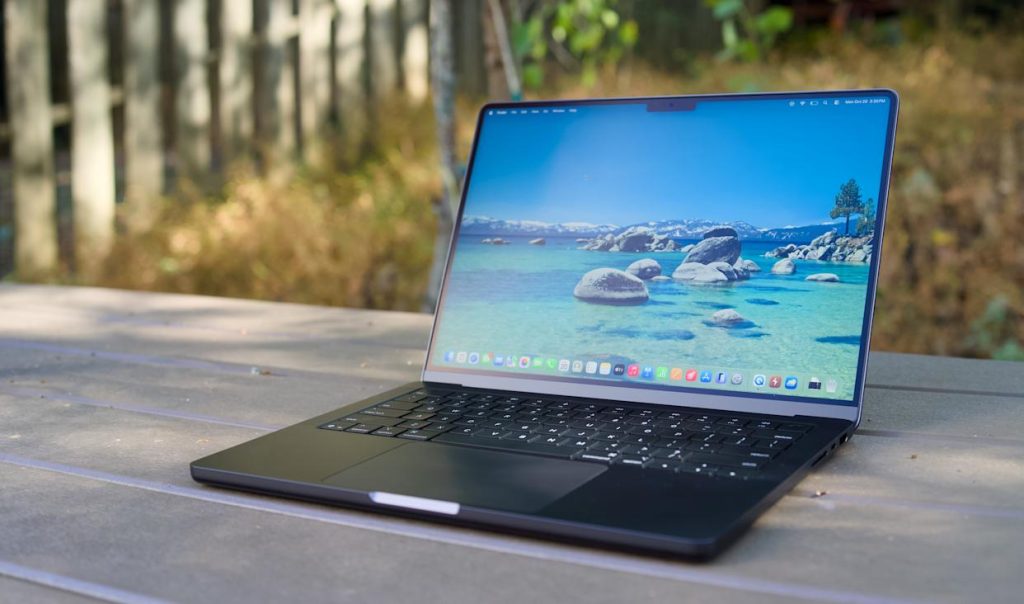
CPU : Apple M5 (10-core CPU) | Graphics : 10-core GPU (integrated) | Memory : 32GB unified memory | Storage : 1TB SSD | Display : 14.2-inch Liquid Retina XDR display with Nano-texture option, 3,024 x 1,964, 120 Hz ProMotion | Weight : 3.4 pounds (1.55 kg)
PROS
- Excellent battery life
- Sustained performance on the battery
- One of the best displays on a laptop
CONS
- No new design
- No Wi-Fi 7 on base model
- Price increase
Why We Picked It
The Apple MacBook Pro 14-inch (M5) is the ultimate business workstation for professionals who need exceptional performance, portability, and reliability in one premium package. Powered by Apple’s advanced M5 chip, it delivers lightning-fast multitasking, seamless handling of demanding business applications, and impressive AI-enhanced workflows while maintaining whisper-quiet efficiency. Its Liquid Retina XDR display, long-lasting battery life, and premium build quality make it ideal for executives, developers, content creators, and professionals constantly working on the move.
As a business workstation, it appeals for its balance of raw power and everyday usability; it’s also among our top picks for the best laptops you can buy right now. Whether you’re editing high-resolution media, managing complex spreadsheets, running virtual environments, or handling intensive creative projects, the M5 chip delivers desktop-class performance in a highly portable design. Combined with industry-leading battery endurance, advanced connectivity options, and Apple’s optimized macOS ecosystem, it’s a workstation built to maximize productivity without compromise.
4. BEST BUDGET BUSINESS LAPTOP – Asus VivoBook 16 M1605
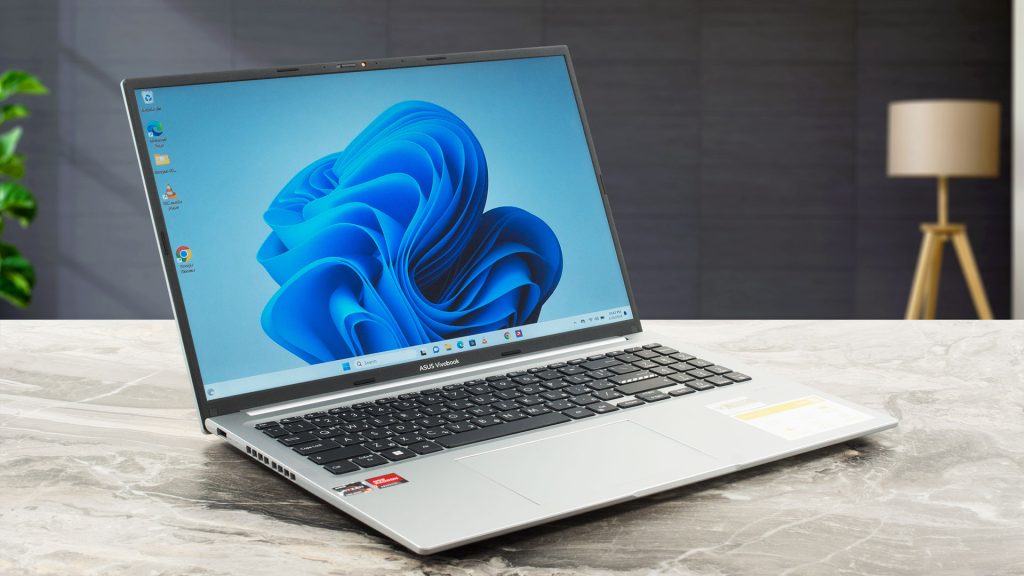
CPU: AMD Ryzen 7 7730U | GPU: AMD Radeon Graphics | RAM: 8 GB RAM | Storage: 512GB SSD | Dimensions: 14.12 x 9.82 x 0.78| 1.88 kg (4.14 lbs)
PROS
- Expansive display
- Relatively light for a 16in laptop
- Physical webcam blocker
CONS
- Drab display
- Slightly cheap build quality
- Poor battery life
Why We Picked It
The Asus VivoBook 16 M1605 is one of the best budget business laptops you can buy right now, boasting a large 16-inch display, reliable AMD Ryzen performance, and a comfortable productivity-focused design. Whether you’re handling spreadsheets, virtual meetings, multitasking, or office work, the VivoBook 16 delivers smooth everyday performance without the premium price tag.
Its spacious keyboard, slim-bezel display, and fast SSD storage make it ideal for professionals, students, and remote workers who need a dependable machine for daily business tasks. Despite its large screen, it remains relatively lightweight and includes modern connectivity options like USB-C, HDMI, Wi-Fi 6, and long-lasting battery efficiency for working on the go.
5. BEST MID-RANGE BUSINESS LAPTOP – Acer Swift Go 14 (2025)
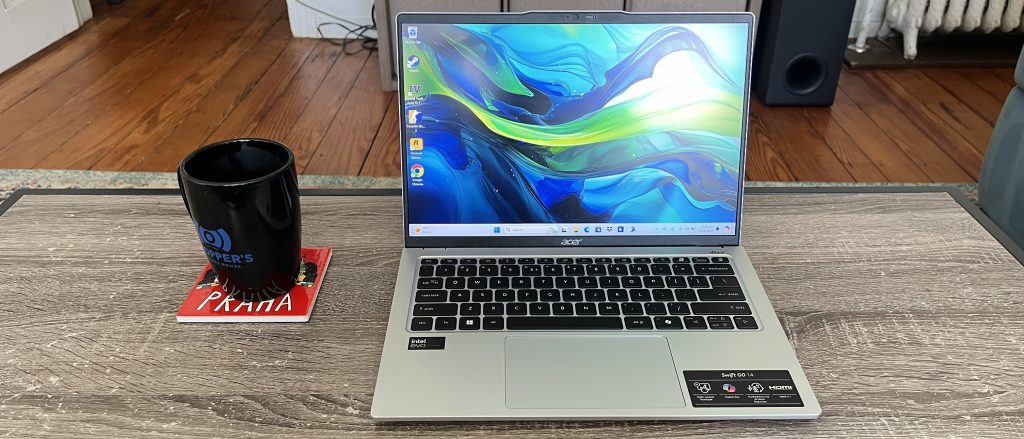
CPU: Intel Core i7-13700H | GPU: Intel Iris Xe Graphics| RAM: 16 GB RAM | Storage: 512GB SSD | Dimensions: 0.73 by 12.3 by 8.6| 2.9 lbs
PROS
- Great performance
- Effective, if not quiet, cooling
- Sharp and vibrant display
- Fairly lightweight
CONS
- Not for creative tasks
- Could be cheaper
Why We Picked It
The Acer Swift Go 14 strikes an excellent balance between portability, performance, and affordability, making it one of the best mid-range business laptops for professionals, students, and remote workers. Powered by modern Intel Core processors with AI-enhanced performance, it handles multitasking smoothly whether you’re managing spreadsheets, attending video meetings, editing documents, or running multiple business applications at once.
Its lightweight design and premium aluminum chassis also make it easy to carry between the office, home, and travel destinations. It adds a vibrant high-resolution display, long battery life, and fast connectivity options packed into a sleek and modern design. The comfortable keyboard, responsive performance, and reliable battery endurance make it ideal for productivity on the go, while features like Wi-Fi 6E, Thunderbolt support, and AI-powered enhancements help deliver a premium business experience without the premium price tag.
6. BEST 2-IN-1 TABLET FOR BUSINESS – MSI Prestige Flip 14 AI+
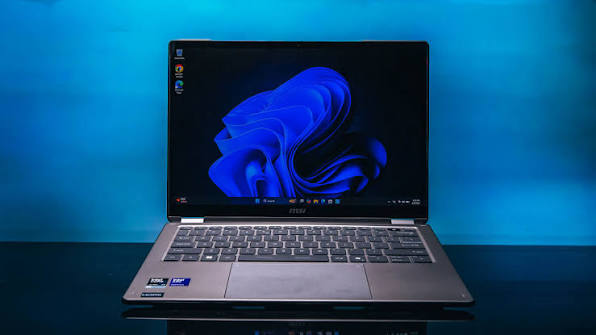
CPU: Intel Core Ultra X7 358H| Intel Arc B390 | RAM: 32 GB RAM | Storage: 1TB SSD | Dimensions: 0.55 by 12.4 by 8.7 | 3.02 lbs
PROS
- Record-setting battery life
- Speedy overall performance for a 2-in-1
- Generous mix of ports for its size
- Nano Pen stylus with in-chassis storage
CONS
- Can run hot under heavy processor load
- So-so webcam quality
Why We Picked It
The MSI Prestige Flip 14 AI+ is a stellar 2-in-1 business tablet with a sleek convertible design, premium OLED touchscreen, and powerful Intel Core Ultra processor built for modern AI-enhanced productivity. Its lightweight aluminum build, long-lasting battery life, and versatile 360-degree hinge make it perfect for professionals who need a device that can seamlessly switch between laptop, tablet, presentation, and creative work modes.
With support for MSI Nano Pen input, fast Thunderbolt connectivity, enterprise-ready security, and excellent multitasking power, it handles office work, presentations, video conferencing, and creative workflows effortlessly. The vivid OLED display and all-day battery life also make it ideal for executives, remote workers, and creators constantly on the move.
7. BEST LAPTOP FOR CREATIVE PROFESSIONALS – Asus ProArt PX13
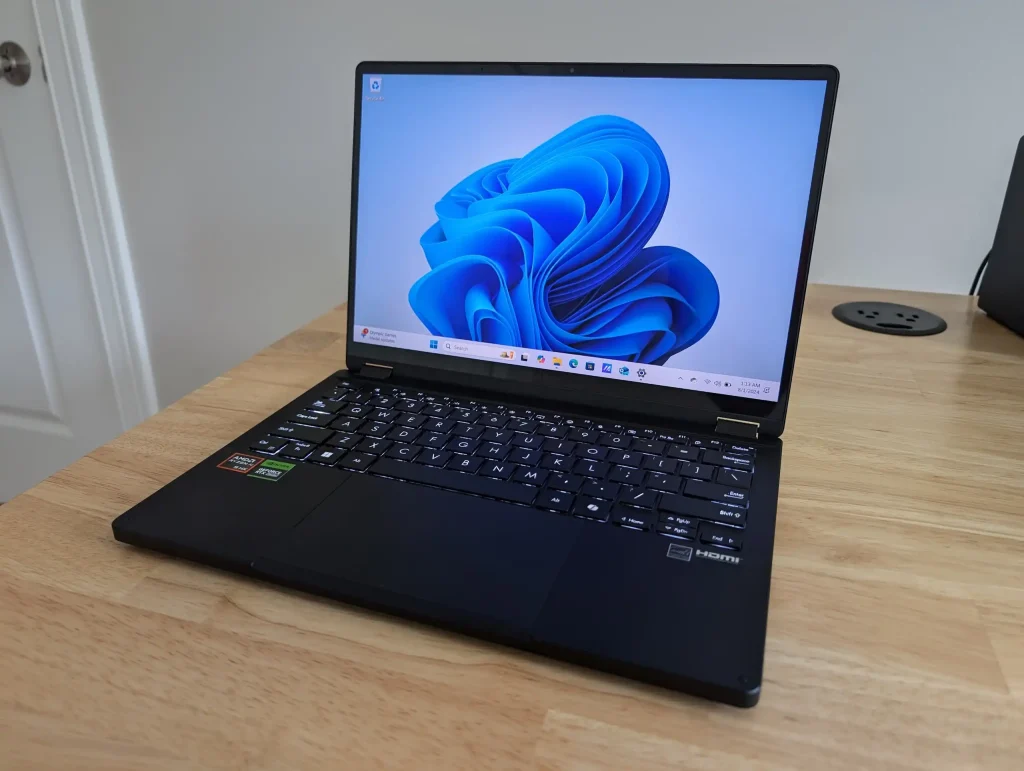
CPU: AMD Ryzen AI 9 HX 370 | Nvidia GeForce RTX 4050 Laptop GPU | RAM: 32 GB RAM | Storage: 1TB SSD | Dimensions: 0.7 by 11.7 by 8.3| 3.04 lbs
PROS
- Astounding OLED touchscreen
- An AI dream machine for creators
- Super-attractive, flexible 2-in-1 design
- Classy keyboard
CONS
- 60Hz fresh rate is disappointing
- Asus Pen 2.0 isn’t always included, depending on the retailer
Why We Picked It
The Asus ProArt PX13 is built for creators who need serious performance in a compact and portable machine. With its stunning 3K OLED touchscreen, color-accurate display, and powerful AMD Ryzen AI processors paired with NVIDIA GeForce RTX graphics, it handles demanding creative workloads like 4K video editing, 3D rendering, graphic design, and AI-powered content creation with ease.
Its convertible 2-in-1 design, stylus support, and creator-focused controls make it incredibly versatile for professionals working on the move. Plus, it combines workstation-level performance with premium portability. Despite its lightweight 13-inch design, it delivers fast rendering speeds, advanced AI acceleration, and excellent multitasking capabilities, while the durable build and long battery life make it reliable for creators traveling between studios, offices, and shoots.
8. BEST CHROMEBOOK FOR BUSINESS – Lenovo IdeaPad Slim 3i Chromebook 14
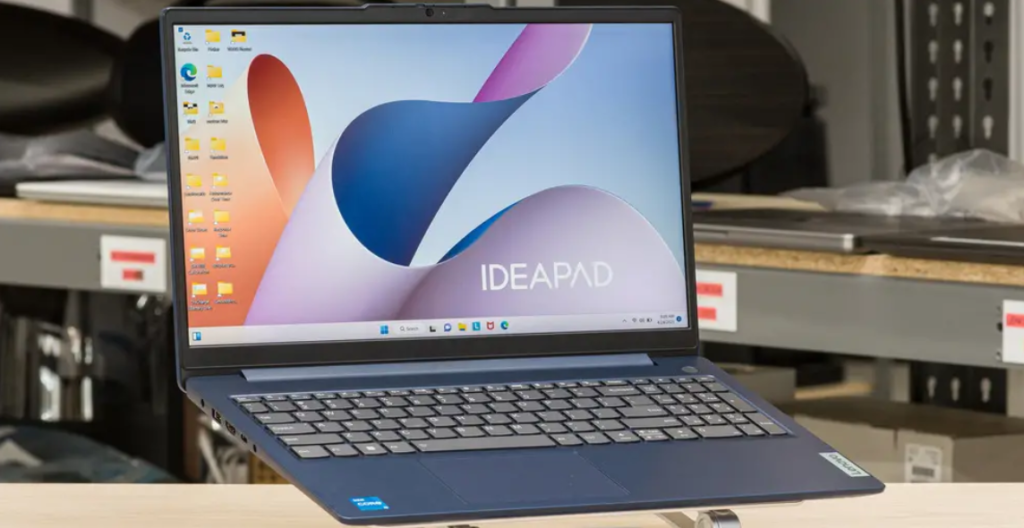
CPU: Intel Core i3-1315U | Intel UHD Graphics | RAM: 8 GB RAM | Storage: 256GB SSD | Dimensions: 0.7 x 14.15 x 9.25 | 3.6 pounds
PROS
- Very affordable
- Good, accurate touchscreen
- Nice features like a privacy shutter and a fingerprint reader
CONS
- Trackpad placement is divisive
- Color coverage is weak
Why We Picked It
The Lenovo IdeaPad Slim 3i Chromebook 14 is one of the best Chromebooks for business thanks to its lightweight design, reliable Intel Core i3 performance, and ChromeOS efficiency. It handles everyday office tasks, video meetings, cloud-based workflows, and multitasking smoothly while offering fast boot times and excellent battery life for professionals constantly on the move.
Its 14-inch Full HD display, Wi-Fi 6E support, and 1080p webcam also make remote work and virtual collaboration feel seamless and professional. ChromeOS provides built-in virus protection, automatic updates, and easy integration with Google Workspace, making it ideal for startups, students, remote workers, and small business owners who need a dependable laptop without overspending. The slim and modern design also gives it a premium feel while remaining practical for daily productivity and travel.
Buying Guide: The Best Work Laptops for 2026
Choosing the right business laptop can make a huge difference in productivity, comfort, and long-term value. Whether you work remotely, travel often, manage a business, or handle office tasks daily, the ideal laptop should balance performance, portability, security, and battery life. A good business laptop is more than just a work machine — it’s an investment that helps you stay efficient and professional.
1. Prioritize Performance for Everyday Work
Start by choosing a laptop with a modern processor and enough memory to handle multitasking smoothly. For most business users, an Intel Core i5/i7 or AMD Ryzen 5/7 processor paired with at least 16GB of RAM offers excellent performance for spreadsheets, video meetings, presentations, accounting software, and web browsing. If your work involves heavy multitasking, editing, or data analysis, go for higher specifications to avoid slowdowns.
2. Look for Long Battery Life
Battery life is one of the most important features in a business laptop. Professionals who travel or work remotely need a laptop that can last through meetings, flights, and work sessions without constantly searching for a charger. Aim for laptops that offer at least 8–12 hours of real-world battery life for uninterrupted productivity.
3. Choose a Comfortable and Portable Design
A lightweight and slim laptop is easier to carry between meetings, offices, or business trips. At the same time, comfort matters too. Look for a laptop with a responsive keyboard, a spacious touchpad, and a display size that suits your workflow. A 13-inch or 14-inch laptop is ideal for portability, while 15-inch models offer more workspace for multitasking.
4. Focus on Display Quality
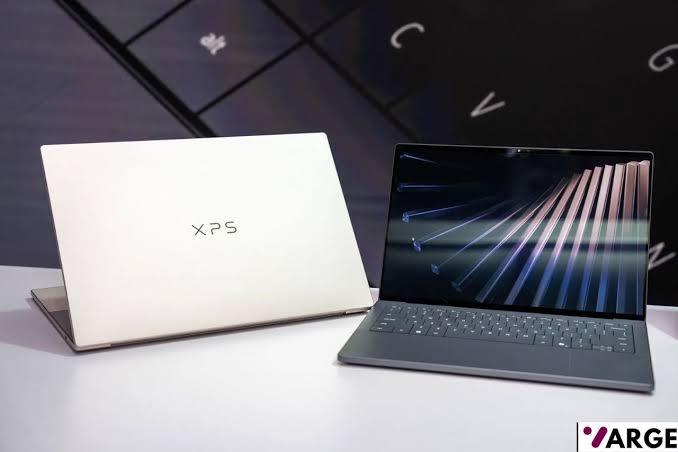
A sharp and bright display reduces eye strain and improves your work experience. Full HD (1920×1080) resolution should be the minimum for modern business laptops. If you spend hours working on documents, presentations, or creative tasks, consider a laptop with better color accuracy and higher brightness levels for improved clarity.
5. Security Features Matter
Business laptops often store sensitive files and company information, so security is essential. Features like fingerprint readers, facial recognition, TPM security chips, webcam privacy shutters, and encrypted storage help keep your data protected. These features are especially important for professionals handling confidential business information.
6. Make Sure It Has the Right Ports
Before buying, check the laptop’s connectivity options. USB-C, USB-A, HDMI, headphone jacks, and fast Wi-Fi support are essential for connecting accessories, monitors, and projectors. Business users who regularly present or connect to external devices should avoid laptops with extremely limited ports unless they plan to use adapters.
7. Build Quality and Durability Are Important
A business laptop should be durable enough to handle daily use. Premium materials like aluminum or magnesium alloy often provide better durability and a more professional look. Strong hinges, spill-resistant keyboards, and sturdy construction help ensure the laptop lasts for years.
8. Don’t Ignore Webcam and Audio Quality
With remote work and virtual meetings becoming standard, a good webcam and clear microphone system are essential. Look for laptops with at least a 1080p webcam, noise-canceling microphones, and quality speakers for professional video conferencing experiences.
9. Consider Storage Capacity
Fast SSD storage significantly improves boot times and application performance. A minimum of 512GB SSD storage is recommended for most professionals, while users handling large files or media projects may benefit from 1TB or more.
10. Buy Based on Your Work Needs
Not every business user needs the same type of laptop. Executives may prefer ultra-premium lightweight laptops, while creatives might need powerful workstations with dedicated graphics. Small business owners may prioritize affordability and reliability, while remote workers may value battery life and webcam quality most.
Ready to Buy the Right Work Laptop?
The best business laptop is one that matches your workflow, budget, and daily needs. Instead of focusing only on raw power, look at the overall experience — battery life, comfort, security, portability, and reliability all matter. A well-chosen business laptop can improve productivity, enhance mobility, and provide a smoother work experience for years to come.
Last update on 2026-07-22 at 17:01 / Affiliate links / Images from Amazon Product Advertising API